
How to check your Order History
Sign in to the CADian web service.
Click on the profile image in the upper right corner to access the My Page menu.
Navigate to the My Orders page from the left menu.
You can view the following details for the purchases made by this account:
Product Name
Order Number
Order Date
Quantity
Price
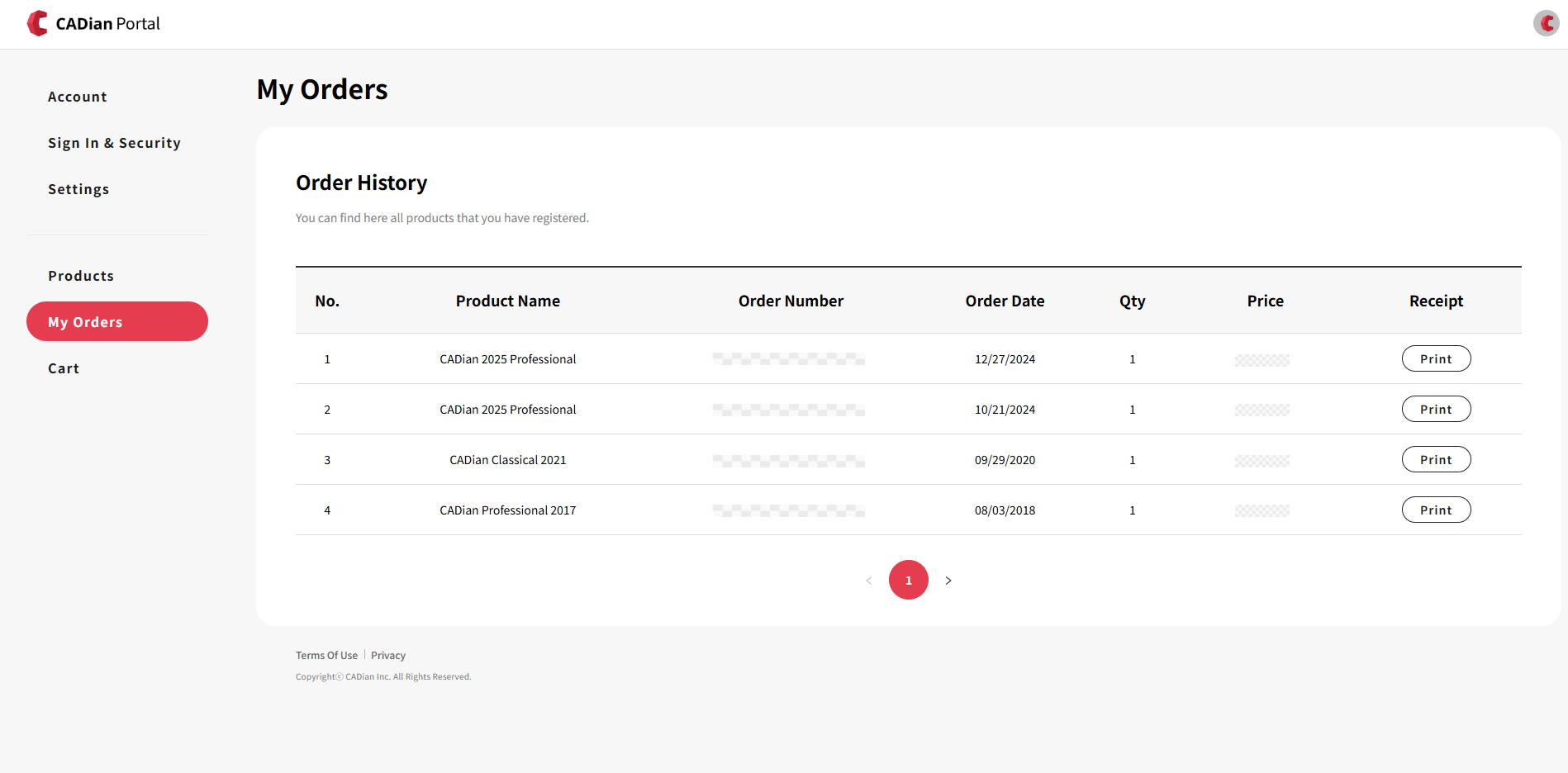
※ Purchases made as a guest (not logged in) or through a quotation/invoice process cannot be viewed in the order history.
How to check your Payment Details
Print the receipt from the My Orders page:
Click the Print Receipt button and enter the required purchase information to receive the detailed payment receipt.
Search your email inbox for emails sent from
mail@imas.inicis.comwith the following subjects:After company name change: [KG Inicis Payment Confirmation] Dear OOO, please check your payment details at CADian Inc.
Before company name change: [KG Inicis Payment Confirmation] Dear OOO, please check your payment details at Intelli Korea Co., Ltd.