
Birthday
Birthday is an optional field. Birthday information may be used for promotions and events.
How to change your Birthday
Sign in to the CADian web service.
Click on the profile image in the upper right corner to access the My Page menu.
Navigate to the Account page > User Details section > Birthday field
Click the edit button at the far right of your Birthday.
In the Birthday settings modal, when you click the input field, a calendar will appear where you can select the date.
Alternatively, you can specify a date by entering in MM/DD/YYYY format. (* If your language is Korean, then the date format should be YYYY/MM/DD)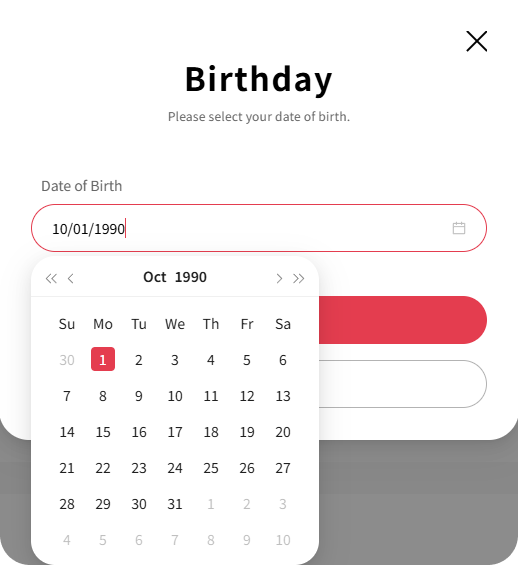
Click the SAVE button to update your Birthday.
To remove your registered Birthday, click the DELETE button in the Birthday settings modal.