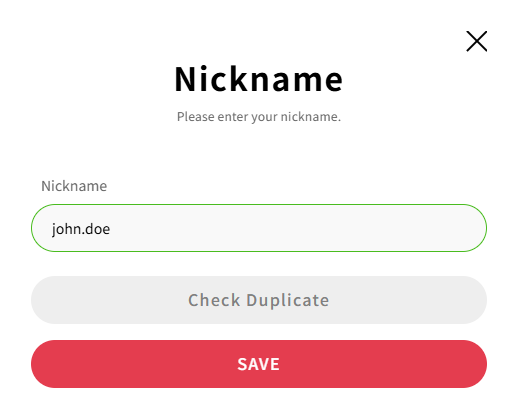
Nickname is the information displayed to all users when you post on the CADian website.
It is a required field and cannot be left blank.
Default: The address prior to the domain from the Email account that you entered during registration + automatic numbering.
Example: (Email account) john.doe@cadian.com → (Nickname) john.doe001
How to change your Nickname
Sign in to the CADian web service.
Click on the profile image in the upper right corner to access the My Page menu.
Navigate to the Account page > Profile section > Nickname field
Click the edit button at the far right of your nickname.
In the nickname settings modal, enter a new nickname.
Allowed Characters
Lowercase alphabets
Numbers
Period (.)
Hyphen (-)
Underscore (_)
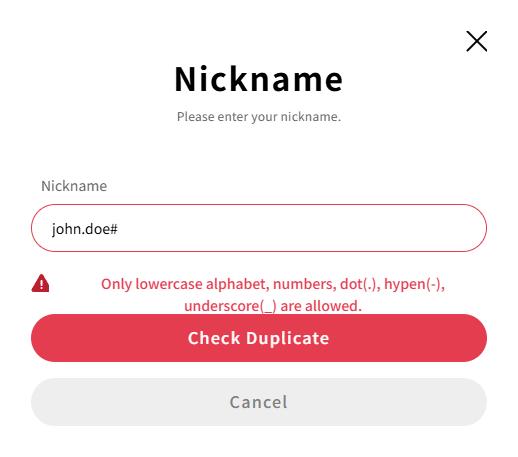
Click the Check Duplicate button to ensure the nickname is not already in use.
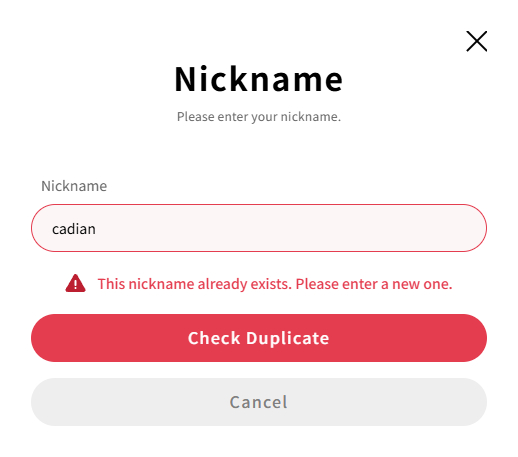
If the nickname is already taken, please enter a different one.
If the nickname is available for use, the SAVE button will be activated. Click the SAVE button to update your nickname.