
This is the first screen you see when you enter an organization.
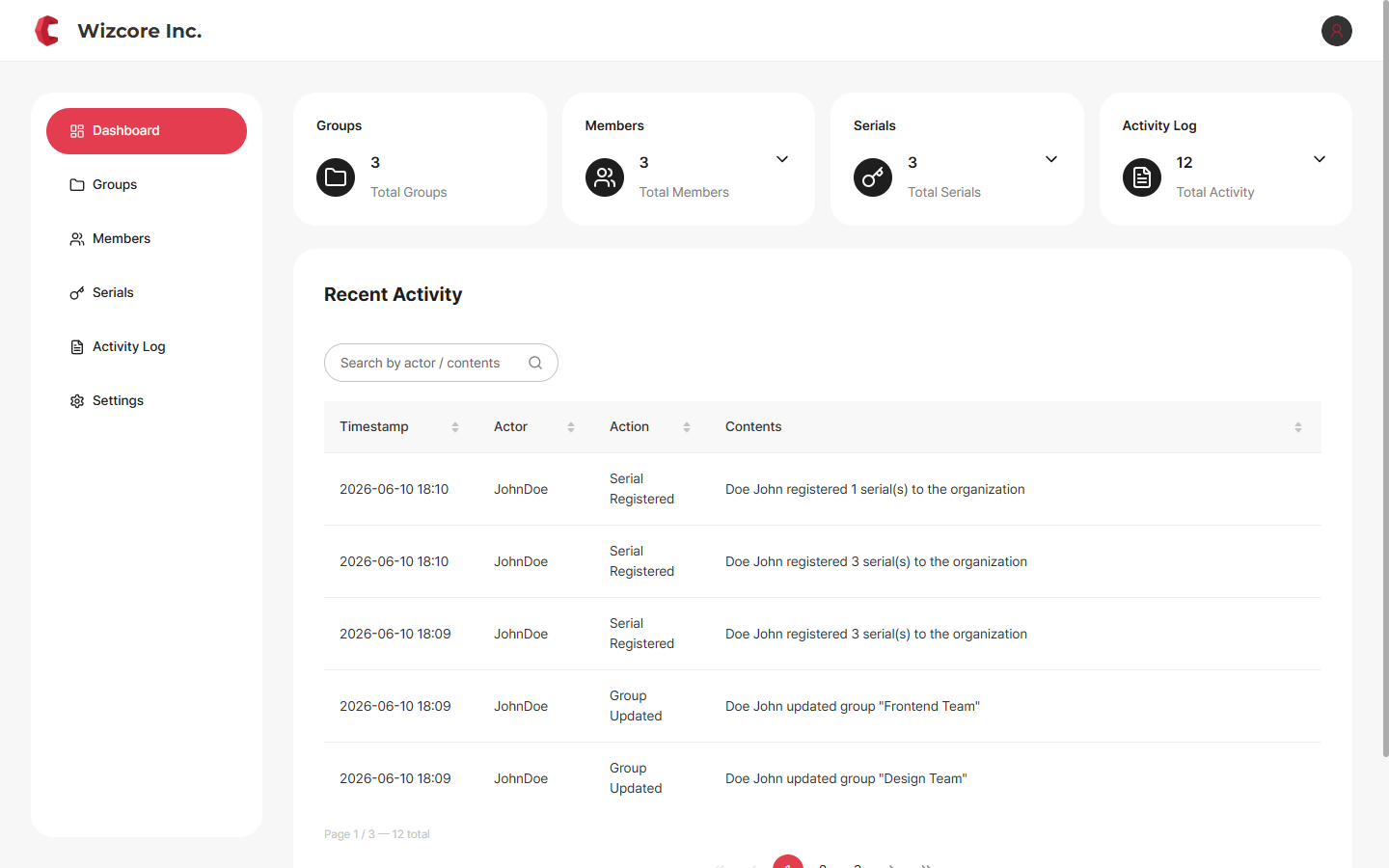
Four summary cards (Groups · Members · Serials · Activity Log) and a recent activity list give you an at-a-glance view of the organization.
Target roles
This screen is for Owner · Admin. The Member view shows different menus and items. → Member View Guide
How to View the Dashboard
The Dashboard is shown by default when you enter the Organization Console. From other menus, click Dashboard in the sidebar.
Components
Summary cards — Show the total counts of Groups · Members · Serials · Activity Log. Click a card to jump to that menu.
Recent activity — Shows recent events in chronological order. Use the search box to find by actor or content.
Left sidebar — Dashboard · Groups · Members · Serials · Activity Log · Settings, 6 menus (common to Owner·Admin).
Related Topics