
Permanently delete the organization. Located in the danger zone at the bottom of the Settings screen, available to the Owner only. (Hidden from Admin and Member.)
How to Delete
Click Settings in the sidebar and press Delete Organization in the danger zone at the bottom.
In the confirm modal, review the impact (registered serials are automatically released).
Type the organization domain exactly as instructed to enable the Permanently Delete button.
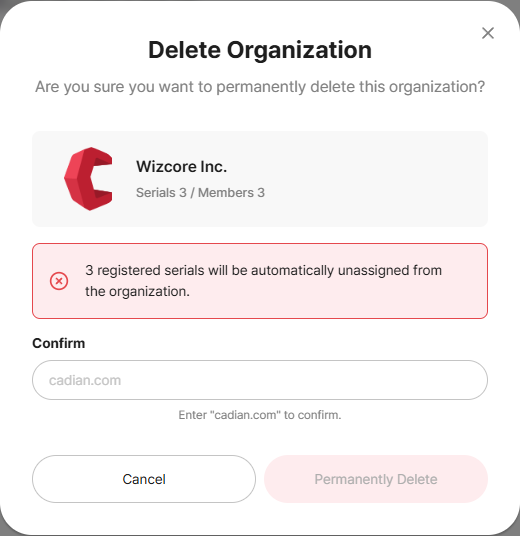
Click Permanently Delete to delete the organization.
This cannot be undone
Deleting the organization releases all member and serial connections, and this action cannot be undone. Back up the activity log and serial information separately before proceeding. If an Admin needs to delete the organization, ask the Owner.
Related Topics