
Change the organization name, description, and logo, and verify the domain. Click Settings in the sidebar. Owner · Admin can edit.
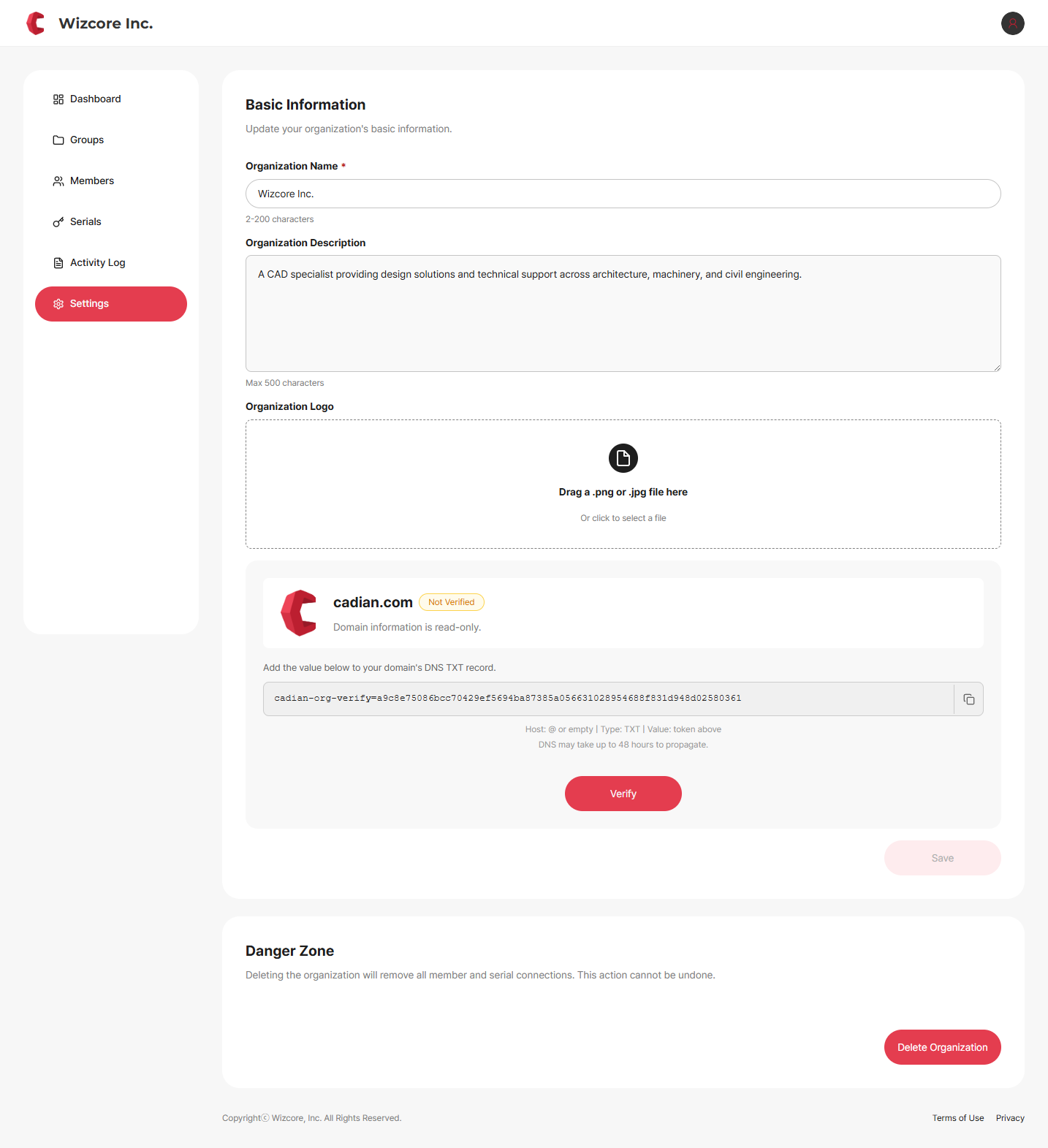
Basic Info
Organization Name — 2 to 200 characters.
Organization Description — up to 500 characters.
Organization Logo — drag and drop a
.png/.jpgfile, or click to select.Click Save to apply changes.
Domain Verification
Verify ownership of the organization domain via DNS.
Click Verify in the domain area to display the verification token.
Add the
cadian-org-verify=…token to your company domain's DNS TXT record.Host :
@or blankType :
TXTValue : the token above
Click Check Verification.
Note
DNS propagation can take up to 48 hours. The domain itself (the address) is read-only and fixed to the value set when the organization was created.
The danger zone is Owner-only
Delete Organization at the bottom of the Settings screen is shown to the Owner only. Transfer Ownership is done from the Manage menu on the Members screen. → Delete Organization · Transfer Ownership
Related Topics